Why WordPress Development Tools and Environments Matter
Modern WordPress projects rarely live in a single environment. Code is written locally, reviewed through version control, tested in staging, and deployed to production. Without structured coordination across these environments, even small changes can introduce instability, version conflicts, or data inconsistencies.
Essential WordPress development tools exist to reduce that risk. They provide controlled workflows for building, testing, debugging, and deploying changes. When environments are clearly separated and tools are used intentionally, development becomes predictable rather than reactive.
This foundation supports a stable WordPress development workflow, where each change moves through defined stages instead of being modified directly in production. For broader architectural context, see WordPress development fundamentals.
What Is a WordPress Development Environment
A WordPress development environment is a controlled setup where WordPress runs in a specific context—such as local, staging, or production—so code, configurations, and database changes can be created, tested, and deployed safely. Each environment serves a distinct role in the lifecycle of a WordPress project.
According to WordPress Developer Resources — Advanced Administration (Development) a development setup allows WordPress to be installed and configured in isolated environments before changes reach live users.
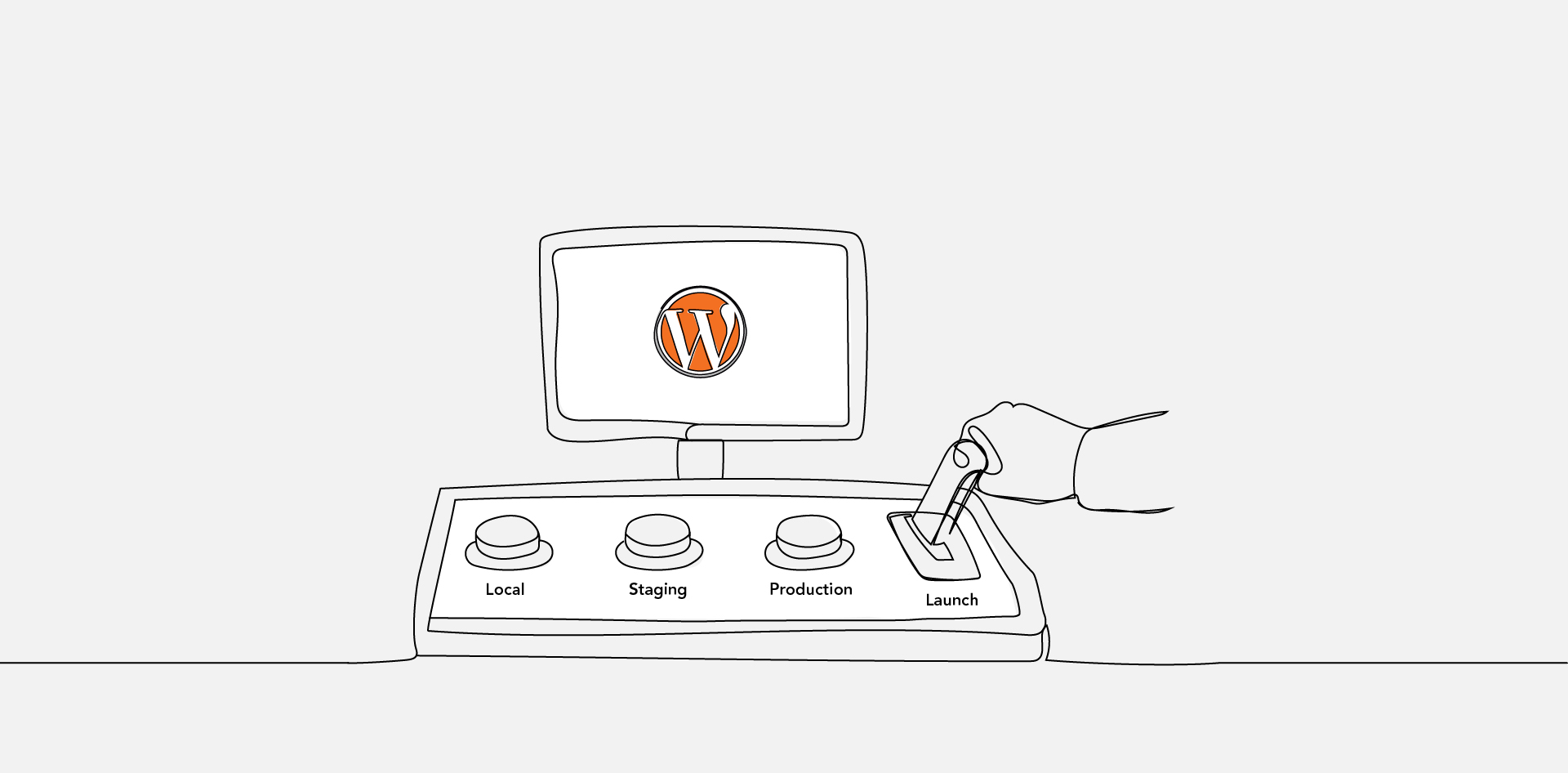
In practice, three environments define most professional workflows. A local environment runs on a developer’s machine for active coding and experimentation. A staging environment mirrors production for validation and QA. A production environment serves real users and must remain stable.
Clear separation between these environments reduces deployment risk, prevents direct edits to live sites, and supports a structured WordPress development workflow.
Essential WordPress Development Tool Categories
WordPress developers use tools across several functional categories:
- Local environment tools
- Code editors and IDEs
- Version control systems
- Command-line interfaces
- Debugging and testing tools
- Deployment and automation tools
These categories describe function, not brand preference. A local WordPress development environment enables isolated site builds and configuration testing. Code editors provide syntax highlighting, linting, and extension support. Version control systems such as Git track changes and support collaboration.
Command-line utilities such as WP-CLI Official Documentation document how developers can manage WordPress installations, plugins, themes, and database tasks programmatically.
Debugging and testing tools surface runtime errors and configuration issues. Deployment and automation tools move code across environments in a repeatable way. When these categories are implemented together, they form the backbone of essential WordPress development tools.
Local WordPress Development Environments Explained
A local WordPress development environment runs on a developer’s machine and isolates project work from live infrastructure. This separation allows experimentation, plugin updates, and architectural changes without affecting staging or production systems.
There are three common approaches. Application-based local tools bundle web server, PHP, and database components into a simplified interface. Container-based setups use tools described in Docker Documentation to define reproducible environments through configuration files. Manual stacks configure each component independently, offering more control but requiring deeper system knowledge.
Container-based environments are often preferred in collaborative teams because they reduce “works on my machine” inconsistencies. By defining services and dependencies explicitly, they standardize runtime conditions across machines.
Local decisions are influenced by how WordPress core, themes, plugins, and the database interact. For deeper architectural context, see WordPress system architecture.
Staging vs Production in WordPress
| Criteria | Staging Environment | Production Environment |
|---|---|---|
| Purpose | Testing and validation | Serving live users |
| Visibility | Private or restricted access | Publicly accessible |
| Risk Tolerance | Moderate—issues acceptable during testing | Low—instability affects real users |
| Data Sensitivity | Often masked or cloned data | Real user data |
| Deployment Behavior | Receives changes before production | Final destination for approved changes |
According to WordPress Handbook — Staging & Deployment Concepts deployment workflows should separate testing environments from live systems to reduce risk and protect site stability.
A WordPress staging environment mirrors production as closely as possible, allowing QA validation, plugin updates, and configuration testing before public release. Production must remain stable, monitored, and protected from experimental changes.
Clear separation prevents direct edits to live sites, reduces rollback scenarios, and ensures controlled release cycles.
Version Control and Collaboration Tools
Version control systems track code changes over time and coordinate collaboration across teams. In WordPress development, Git is the dominant standard for managing themes, plugins, configuration files, and deployment scripts.
The Git Official Documentation defines Git as a distributed version control system that records snapshots of a project’s file system, enabling branching, merging, and rollback.
Branching strategies allow developers to isolate features, bug fixes, or experiments before merging into a stable branch. This separation aligns naturally with local, staging, and production environments.
Version control also creates traceability. Every deployment can be linked to a commit history, making debugging and audits more predictable. Without version control, collaborative WordPress development becomes fragile and error-prone.
Deployment and CI/CD Basics for WordPress
Deployment moves approved code from staging to production. In basic workflows, this may involve manual file transfers or host-based push tools. In more structured environments, deployment is automated through CI/CD pipelines.
CI (Continuous Integration) validates changes automatically when code is committed. CD (Continuous Deployment or Delivery) moves approved changes into staging or production environments in a repeatable way.
Tools documented in GitHub Actions Documentation allow teams to define workflows that test, build, and deploy WordPress projects using version-controlled configuration files.
Automation reduces human error, enforces consistent release logic, and minimizes direct production edits. Even simple deployment scripts improve reliability by formalizing how changes move across environments.
Debugging and Quality Assurance Tools
Debugging tools identify runtime errors, configuration issues, and performance bottlenecks across environments. In WordPress development, these tools are typically integrated into local or staging environments before changes reach production.
The PHP Manual documents core error handling, logging, and debugging behavior at the language level, which directly affects how WordPress executes themes, plugins, and custom logic.
Common WordPress debugging practices include enabling WP_DEBUG, reviewing server logs, using query monitoring tools, and validating database interactions. Structured QA workflows may also include browser testing, form validation checks, and regression testing after plugin or core updates.
Quality assurance is not isolated from environments. Local testing validates functionality during development. Staging verifies integration behavior. Production monitoring detects unexpected runtime issues. When debugging is integrated into each stage, the WordPress development workflow becomes more predictable and less reactive.
Minimum Professional WordPress Development Setup
- Local WordPress development environment configured
- Version control repository initialized
- Structured branching strategy defined
- Dedicated staging environment provisioned
- Deployment process documented or automated
- Debug logging enabled outside production
- Database synchronization process defined
- Backup and rollback procedure documented
This checklist defines the baseline required for a professional workflow. Each component addresses a specific failure risk—untracked code changes, environment drift, untested deployments, or missing rollback procedures.
A WordPress development environment without version control increases collaboration risk. A staging environment without deployment structure introduces inconsistency. Debugging without logging reduces traceability.
Together, these elements form the operational core of essential WordPress development tools. They shift WordPress projects from ad hoc site editing to structured lifecycle management.
Clarifying WordPress Development Environment Questions
FAQs
What Is A WordPress Development Environment?
A WordPress development environment is a controlled setup where WordPress runs outside of the live site so changes can be created and tested safely. It typically includes local, staging, and production environments, each serving a distinct role in the development lifecycle. Separating these environments reduces deployment risk and prevents direct edits to live systems.
How To Set Up A Local WordPress Development Environment?
A local WordPress development environment is set up by installing a web server, PHP, and a database on a local machine, either through bundled applications or container-based tools. WordPress is then configured to run against that local stack. This setup allows developers to build and test features before pushing changes to staging or production.
What Is The Difference Between Staging And Production In WordPress?
A staging environment mirrors the live site and is used for testing updates, plugins, and configuration changes before release. Production is the publicly accessible site that serves real users. Staging accepts controlled experimentation, while production prioritizes stability, security, and performance.
Do WordPress Developers Use Git?
Yes, WordPress developers commonly use Git to track code changes, manage branches, and coordinate collaboration. Git records project history, supports rollback, and enables structured deployments across environments. It is especially important when multiple developers contribute to themes, plugins, or configuration files.