Introduction
Headless WordPress refers to using WordPress as a backend content management system while delivering content through a separate frontend application or framework. For developers evaluating architectural decisions, this model changes how content is requested, rendered, cached, and deployed.
Traditional WordPress combines backend and frontend into a single theme-driven system. A decoupled WordPress setup separates those responsibilities, exposing content through an API while allowing a custom frontend—often built with React or similar frameworks—to control presentation.
This architectural shift introduces flexibility and performance opportunities, but also operational complexity. Understanding where headless WordPress architecture adds value—and where it introduces unnecessary overhead—requires clarity around request flow, API selection, SEO responsibility, and long-term maintenance trade-offs.
What Is Headless WordPress
Headless WordPress is a decoupled WordPress architecture where WordPress functions as a backend content management system, while a separate frontend application retrieves content through an API and renders it independently of WordPress themes.
In a traditional setup, WordPress handles both content storage and presentation. Themes control layout, templates render HTML, and plugins often affect both backend behavior and frontend output. In a headless configuration, the theme layer is removed from the delivery path. WordPress still manages posts, pages, taxonomies, and media, but content is exposed as structured data—typically JSON—through the WordPress REST API or a GraphQL endpoint.
This distinction matters architecturally. WordPress is not removed; it remains the backend. What changes is the rendering responsibility. The frontend framework—such as React—becomes responsible for fetching content, constructing the interface, and handling routing. The result is a system where backend and frontend evolve independently, connected only through the content API layer.
For foundational platform behavior and architecture references, see WordPress developer documentation.
How Headless WordPress Works in Practice
- Content is created and managed inside WordPress.
- WordPress exposes content through the WordPress REST API or a GraphQL endpoint.
- A separate frontend application requests content via HTTP.
- The frontend renders structured data into HTML, CSS, and JavaScript.
- The rendered output is delivered to users through a hosting environment.
This request lifecycle differs from traditional WordPress rendering. In a standard theme-based setup, PHP templates process queries and generate HTML on the server. In headless WordPress architecture, the frontend application handles presentation logic, routing, and often client-side or server-side rendering.
The WordPress REST API documentation defines how WordPress exposes structured endpoints for posts, taxonomies, users, and custom content types. When using frameworks like React, the frontend fetches data asynchronously and constructs the interface independently of WordPress templates.
This separation enables deployment flexibility. The backend and frontend can be hosted independently, scaled independently, and updated independently. However, it also introduces additional infrastructure coordination, caching strategy planning, and cross-environment configuration management.
Headless WordPress vs Traditional WordPress
| Dimension | Traditional WordPress | Headless WordPress |
|---|---|---|
| Rendering Model | PHP theme templates render HTML | Separate frontend renders content |
| Content Delivery | Server-side theme rendering | API-driven JSON responses |
| Plugin Behavior | Many plugins affect frontend directly | Frontend-dependent plugins may not render automatically |
| SEO Handling | Managed through theme and plugins | SEO logic handled in frontend framework |
| Hosting Model | Single WordPress hosting environment | Separate backend and frontend hosting |
| Maintenance Scope | Unified system updates | Distributed system coordination |
Traditional WordPress tightly couples backend logic and frontend rendering. Themes, template hierarchy, and plugins collectively determine how content is displayed. This model simplifies hosting, preview workflows, and plugin integration.
Headless WordPress separates these concerns. Backend content management remains stable, but frontend delivery becomes framework-driven. Developers gain layout freedom, multichannel content delivery options, and architectural independence. At the same time, responsibility shifts—SEO implementation, preview systems, and rendering performance must be handled intentionally in the frontend layer.
For deeper background on core theme lifecycle and rendering mechanics, see WordPress architecture explained for developers.
Benefits of Headless WordPress
Headless WordPress architecture introduces structural flexibility that traditional theme-based setups cannot always provide.
One key advantage is frontend freedom. Developers are not constrained by the WordPress theme system and can use modern frameworks that support component-driven design, advanced state management, and modular build pipelines. This enables tighter control over rendering behavior and user interface architecture.
Performance optimization is another benefit. Frameworks such as Next.js support server-side rendering (SSR) and static site generation (SSG), which allow pre-rendering pages at build time or on demand. This can reduce time-to-first-byte and improve caching strategies when implemented correctly.
Headless WordPress also enables multichannel content delivery. Because content is exposed through an API, it can be consumed by web applications, mobile apps, kiosks, or other digital interfaces without restructuring the backend. The same content API can serve multiple frontend environments.
Finally, architectural separation allows backend and frontend deployments to evolve independently. Teams can iterate on interface logic without altering content workflows inside WordPress, reducing cross-layer coupling in larger development environments.
Limitations and Trade-Offs
Headless WordPress introduces operational complexity that does not exist in traditional implementations.
Plugin compatibility is a common constraint. Many plugins assume control over frontend rendering, injecting markup, shortcodes, or template logic. In a decoupled WordPress setup, those frontend behaviors may not function automatically because rendering occurs outside the WordPress theme layer. Understanding plugin architecture becomes essential. See WordPress plugin development explained for teams.
Preview workflows also require custom handling. Traditional WordPress supports built-in preview functionality tied to theme rendering. In headless environments, preview systems must be recreated through API-based preview tokens or custom staging flows.
SEO responsibility shifts as well. When JavaScript-driven frontends render content dynamically, search engine crawling behavior must be considered. The Google Search Central documentation on JavaScript SEO explains how rendering and indexing interact with JavaScript-heavy applications.
Infrastructure complexity increases because backend hosting, frontend hosting, caching layers, and deployment pipelines must be coordinated. Maintenance becomes distributed rather than unified, requiring stronger environment management discipline.
When to Use Headless WordPress
- Frontend framework requirements exceed theme capabilities
- Multichannel content delivery is required
- Separate backend and frontend deployment pipelines are necessary
- Development team has API and framework expertise
- Custom SEO implementation can be managed intentionally
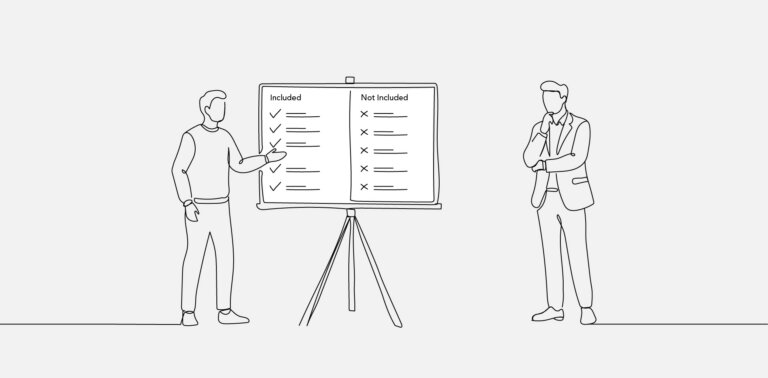
This checklist clarifies when headless WordPress adds architectural value rather than unnecessary complexity.
Headless WordPress is appropriate when teams need granular frontend control or when content must serve multiple platforms from a single backend. It is less appropriate for small marketing sites, content-driven blogs, or projects where plugin-driven frontend functionality is central to delivery.
Decision-making should focus on operational capacity. If the team cannot maintain separate hosting environments, handle preview workflows, and implement SEO intentionally, traditional WordPress architecture may remain the more stable choice.
REST API vs GraphQL in Headless WordPress
In headless WordPress architecture, the content API layer defines how the frontend retrieves structured data. The two common approaches are the WordPress REST API and GraphQL via WPGraphQL.
The WordPress REST API exposes predefined endpoints for posts, taxonomies, users, and custom content types. It follows a resource-based model where each endpoint returns structured JSON. The WordPress REST API handbook documents endpoint behavior, authentication patterns, and query parameters.
GraphQL operates differently. Instead of multiple endpoint calls, clients define a query that specifies exactly which fields are required. The GraphQL specification describes this query-based model, where the server responds with a single structured result matching the request schema. WPGraphQL implements this approach within WordPress.
From a developer perspective, REST is built into WordPress core and is straightforward to adopt. GraphQL provides more granular query control, which can reduce over-fetching or under-fetching of data in complex frontend applications. However, it introduces an additional dependency layer and schema management responsibility.
The choice depends on project complexity, frontend data needs, and team familiarity with API query models. Neither approach is inherently superior; each shapes how the frontend application interacts with WordPress as a decoupled CMS.
Contextual Closing Section
Headless WordPress redefines the relationship between backend content management and frontend presentation. Instead of relying on theme-rendered templates, a decoupled WordPress setup shifts rendering responsibility to an external application connected through an API.
This architectural shift creates flexibility in interface development, deployment workflows, and multichannel delivery. It also introduces complexity across infrastructure, preview systems, plugin behavior, and SEO implementation.
Choosing headless WordPress is not a question of trend or perceived performance advantage. It is a structural decision about separation of concerns, maintenance overhead, and team capability. Within broader custom WordPress strategy discussions, headless remains one architectural path rather than a universal replacement. For a wider view of architectural customization decisions, see custom WordPress development guide and best practices.
Clarifying Headless WordPress Implementation Questions
FAQs
Is Headless WordPress Better Than Traditional WordPress?
Headless WordPress is not inherently better than traditional WordPress. It provides greater frontend flexibility and architectural separation, but it also increases complexity in hosting, SEO implementation, and preview workflows. The better option depends on project requirements, multichannel needs, and the team’s ability to manage distributed systems.
Does Headless WordPress Improve Performance Automatically?
Headless WordPress does not automatically improve performance. Performance gains depend on how the frontend framework implements caching, server-side rendering, or static site generation. Poor API usage or inefficient frontend rendering can negate potential benefits. Performance remains an implementation decision, not a guaranteed outcome of decoupling.
Can All WordPress Plugins Work In A Headless Setup?
Not all plugins function identically in a headless setup. Plugins that modify frontend templates, inject shortcodes, or rely on theme rendering may require custom frontend handling. Backend-focused plugins—such as those managing content or metadata—typically remain compatible. Plugin behavior must be evaluated based on how it interacts with rendering.
Is Headless WordPress Suitable For Small Marketing Sites?
Headless WordPress is often unnecessary for small marketing or content-driven websites. Traditional WordPress architecture typically provides simpler hosting, built-in preview functionality, and seamless plugin integration. Headless is more appropriate when frontend customization or multichannel delivery requirements exceed what themes can reasonably support.