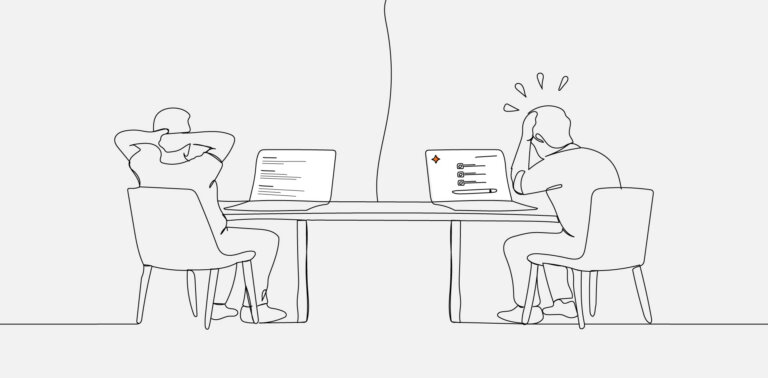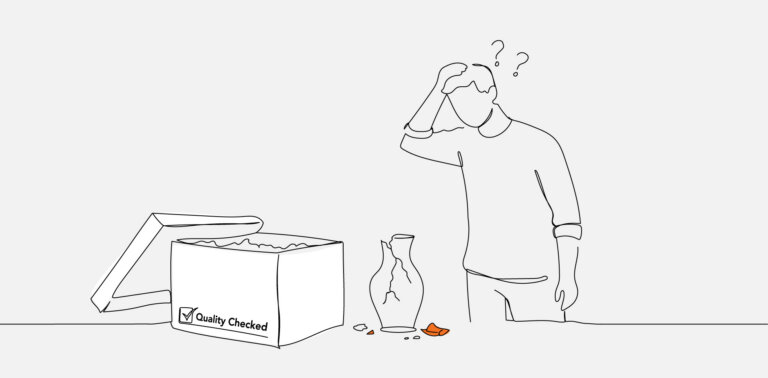
Somewhere between the handshake and the invoice, the definition of “website maintenance” gets lost. A client signs a retainer expecting their website to be looked after. An agency delivers what the agreement says.
And at the annual renewal, both parties discover they’ve been working from entirely different mental models of what “looked after” actually means.
It’s one of the most quietly friction-prone arrangements in agency relationships—not because anyone is being dishonest, but because the language of maintenance retainers has never been forced to grow up.
Words like “updates,” “security,” and “performance” mean something specific to a developer and something much broader to a client. That gap accumulates slowly, and it tends to surface at the worst possible moment: a hacked site, a broken checkout, a page that won’t load on mobile.
The fix isn’t more trust. It’s better documentation.
Why Maintenance Agreements Stay So Vague
Most maintenance retainers are written once and renewed on autopilot. The original agreement was drafted quickly—possibly as an afterthought at the end of a build project—and nobody revisited it because nothing dramatic had gone wrong.
The problem with that arrangement is structural. Maintenance is inherently invisible when it’s working. Clients don’t see the plugin that was updated, the vulnerability that was patched, or the cron job that was checked.
They see the invoice, and when they’re paying for something they can’t see, their imagination tends to fill in the gaps generously.
That imagination gap is where expectation mismatches live. Clients assume maintenance means their website is “taken care of”—comprehensively, holistically, proactively. Agencies deliver the specific, defined tasks they were hired to do.
Neither interpretation is wrong, but they’re not the same thing, and no one explains the difference.
The solution is a maintenance scope document that’s specific enough to be useful and readable enough that a non-technical client will actually engage with it.
The Four Components of Real Website Maintenance
Real maintenance isn’t a single service—it’s a cluster of four distinct activities, each with its own cadence, skill requirements, and risk profile. Conflating them into one line item is what creates confusion.
The four components are:
- Update management: Keeping CMS core, plugins, themes, and third-party integrations current
- Security maintenance: Patching known vulnerabilities and monitoring for active threats
- Performance maintenance: Monitoring and tuning load times, Core Web Vitals, and uptime
- Content and functional checks: Verifying forms, links, integrations, and core user flows are working
Each of these has a different scope, a different cadence, and a different definition of “done.” A maintenance agreement that bundles them without defining them is an agreement waiting to cause a dispute.
Plugin Updates: What They Cover and What They Don’t
Plugin and theme updates are the most visible part of any maintenance retainer—and the most misunderstood. Clients often assume that keeping plugins current is equivalent to keeping the website secure and functional. It’s related to both, but it’s not the same as either.
- What Plugin Updates Actually Do
Running available updates applies code changes released by plugin developers. These updates may include security patches, bug fixes, new features, or compatibility improvements for newer versions of PHP or the CMS core. Applying them promptly reduces exposure to publicly disclosed vulnerabilities.
The stakes are real. IBM’s Cost of a Data Breach Report consistently finds that the average cost of a data breach runs into millions of dollars—a figure that underscores why the distinction between patching and monitoring matters far more than most retainer agreements acknowledge.
- What Plugin Updates Don’t Do
Applying an update doesn’t guarantee that everything still works after the update. Plugin conflicts, theme incompatibilities, and custom code breakage are all real post-update failure modes.
A proper update workflow includes visual and functional QA—checking key pages, forms, and checkout flows after updates are applied.
This distinction matters because the QA step takes time. If it’s not in the agreement, it’s not being done consistently. And if it’s not being done consistently, the client has an unacknowledged gap in their coverage.
- What Update Management Includes in a Well-Scoped Agreement
- Scheduled plugin, theme, and core updates (typically weekly or monthly)
- Staging-environment testing before applying updates to production (where included)
- Post-update QA checklist covering critical site functions
- Documentation of what was updated and when
Anything beyond this—like reverse-engineering a plugin conflict, resolving a broken third-party API, or troubleshooting custom code after a core update—is development work, not maintenance.
Security Patching vs. Security Monitoring
“Security” is where the expectation gap tends to be widest. Clients hear “security” in a maintenance agreement and reasonably assume their website is being actively protected. In reality, most maintenance agreements cover patching—not monitoring.
- Security Patching
Patching means applying fixes for known vulnerabilities when they’re released. It’s reactive by nature: a vulnerability is discovered, a developer releases a fix, and you apply it.
It’s valuable and important, but it doesn’t protect against zero-day exploits, it doesn’t detect active intrusions, and it doesn’t alert anyone if a site is currently being targeted.
- Security Monitoring
Monitoring is a different service. It involves active scanning for malware, integrity checks to detect unauthorized file changes, firewall rules to filter malicious traffic, login attempt monitoring, and alerting when anomalies are detected.
- Why the Distinction Matters
A client whose agreement includes “security maintenance” but only receives patching is not wrong to assume they’re more protected than they are. The language implied it.
A well-written scope document defines each activity explicitly and specifies what monitoring tools (if any) are included, what the alert and response protocol looks like, and what happens if a breach occurs during the retainer period.
Performance Maintenance as a Recurring Service
Performance is not a one-time optimization task. Websites degrade over time—through content growth, plugin bloat, database expansion, changing third-party scripts, and evolving server environments.
A site that scored 90 on PageSpeed at launch may be scoring 65 twelve months later through no single dramatic failure.
Google’s research on page experience consistently shows that Core Web Vitals performance correlates with user engagement and conversion outcomes—making performance degradation a business problem, not just a technical one.
- What Performance Maintenance Includes
Performance maintenance as a recurring service means establishing baseline metrics, monitoring them on a defined cadence, and taking corrective action when they degrade meaningfully. It’s distinct from a one-off speed optimization engagement.
A well-scoped performance maintenance service might include:
- Monthly Core Web Vitals monitoring against a defined baseline
- Uptime monitoring with defined alert thresholds
- Database optimization and cleanup on a defined schedule
- Image and cache management review
- Reporting on performance trends over time
- What It Doesn’t Include
Performance maintenance doesn’t include rebuilding a slow-loading page, migrating to a faster hosting infrastructure, or redesigning a feature that’s inherently resource-heavy. Those are development or infrastructure engagements with separate scopes and budgets.
How to Write a Maintenance Scope That Clients Understand
A good maintenance scope document doesn’t need to be long. It needs to be honest, specific, and written in language a non-technical client can parse in five minutes.
- Structure the Scope Around the Four Components
Use the four-component framework—updates, security, performance, functional checks—as the organizing structure. Under each, list specifically what is included, at what cadence, and what the deliverable or evidence of completion looks like.
- Explicitly Define the Boundaries
For each component, include a short “what this doesn’t include” note. This isn’t defensive language—it’s clarity. Clients don’t resent limits; they resent discovering limits after the fact.
- Define the Response Protocol
Specify what happens when something breaks. Is there an emergency response window? What’s the process for flagging urgent issues? What’s the escalation path if a fix requires development time beyond the retainer scope?
- Make the Reporting Visible
Invisible maintenance creates anxiety. A monthly summary—even a brief one—that lists what was done, what was found, and what the current status is turns maintenance from a line item into a demonstrable service. Clients who can see the work are clients who renew.
The Case for Clarity: Define It or Lose It
The maintenance retainer is one of the longest-running relationships in agency service delivery. It’s also one of the least examined. Agreements drafted at the end of a project get renewed without review because no one has made them specific enough to prompt a conversation.
Defining maintenance explicitly—breaking it into components, stating what each covers and what it doesn’t, setting a clear reporting cadence—isn’t just a better business practice.
It’s a better client relationship. Clients who understand what they’re getting are clients who recognize its value. Clients who are confused about what they’re getting tend to undervalue it, dispute it, or stop renewing it.
The agencies that win on maintenance aren’t the ones doing the most work. They’re the ones who’ve made the work legible.
Frequently Asked Questions
FAQs
How Often Should Website Maintenance Actually Be Performed?
The right cadence depends on the site’s complexity, traffic, and update frequency.
Plugin updates are typically best handled weekly or bi-weekly for active WordPress sites. Performance monitoring and functional checks work well on a monthly cycle.
Security monitoring, if included, should be continuous or near-continuous. Define the cadence explicitly in the agreement rather than leaving it open-ended.
Should Maintenance Be Billed as a Fixed Retainer or Time-and-Materials?
Fixed retainers work well for predictable, defined scopes—update management, routine monitoring, and monthly reporting.
Time-and-materials is more appropriate for maintenance tasks that can spike unpredictably, such as post-hack remediation or conflict resolution after a major plugin update. Many agencies use a fixed retainer for the defined scope with a separately billed hourly rate for anything outside it.
What’s the Difference Between a Maintenance Retainer and a Support Retainer?
Maintenance covers recurring, proactive tasks—updates, monitoring, performance checks. Support covers reactive assistance—answering client questions, making minor content edits, and troubleshooting reported issues.
The two are often conflated, but they involve different skills, different cadences, and different workloads. Agencies that define them separately can price and staff them more accurately.
Does Website Maintenance Cover SEO Monitoring?
Standard maintenance retainers typically don’t include SEO monitoring—that’s a separate discipline with its own tooling and reporting requirements.
Some agencies bundle lightweight technical SEO checks (like crawl error monitoring or sitemap validation) into performance maintenance, but broader SEO health tracking, ranking reports, or content recommendations fall outside a typical maintenance scope.
Can Agencies Deliver Maintenance at Scale Without Expanding Their Technical Team?
Yes—and this is where white-label partnerships become relevant. Agencies that manage large portfolios of maintenance clients often partner with specialist delivery teams to handle the execution layer: updates, monitoring, QA, and reporting.
This allows the agency to maintain the client relationship and oversight while keeping delivery costs predictable and headcount lean.