Get Your
How Do You Start a White-Label WordPress Security Audit?
Protect yours or your clients’ sites before issues turn into risks.


We combine a checklist-based assessment with a WordPress vulnerability scan, covering the areas that matter most:
Security issues don’t happen all at once—they creep in. An outdated plugin here, a weak admin password there, missing backups, no 2FA—until a scanner finds the door.
Our WordPress security assessment identifies weaknesses and gives you a prioritized hardening plan, with zero changes made to production.
This service is ideal for WordPress sites where the client:
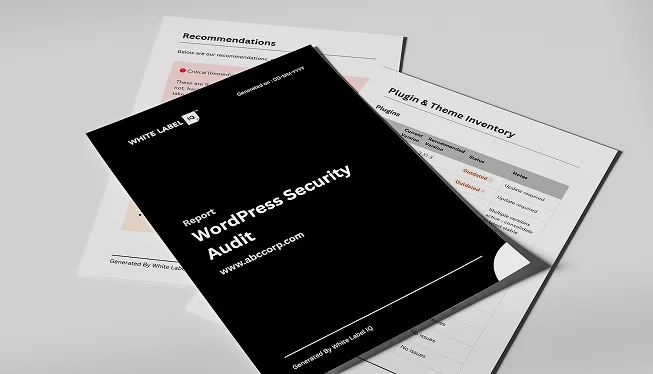
Protect yours or your clients’ sites before issues turn into risks.
"*" indicates required fields
A white label WordPress security audit is a thorough assessment of a WordPress website’s security posture that we conduct on behalf of your agency. We evaluate the site for vulnerabilities, misconfigurations, and security best practices, then deliver a branded report with findings and remediation steps your agency can present to clients.
Our security audit covers WordPress core version and update status, plugin and theme vulnerability assessment, user role and permission configuration, file permission settings, database security, SSL implementation, login security and brute force protection, malware scanning, backup configuration, hosting environment security, and review of security headers and firewall settings.
WordPress powers a significant percentage of the web, which makes it a frequent target for automated attacks. Outdated plugins, weak passwords, misconfigured permissions, and unpatched vulnerabilities are common entry points for hackers. A security audit identifies these weaknesses before they can be exploited, protecting your client’s data, reputation, and business continuity.
The most common issues include outdated WordPress core, plugins, or themes with known vulnerabilities, weak admin passwords, unused or abandoned plugins still installed, improper file permissions, missing security headers, lack of two-factor authentication, exposed wp-config.php or debug files, missing or misconfigured SSL, inadequate backup procedures, and default database table prefixes.
Yes, malware scanning is part of our security audit. We scan core files, theme files, plugin files, and the database for known malware signatures, suspicious code injections, backdoors, and unauthorized file modifications. If malware is detected, we document the findings and provide a remediation plan. We also offer malware removal services as a separate engagement if needed.
Yes, we offer WordPress security hardening services to address all issues identified in our audit. This includes updating WordPress core, plugins, and themes, configuring security plugins, implementing two-factor authentication, setting proper file permissions, adding security headers, configuring firewalls, removing unused plugins and themes, and establishing secure backup procedures.
While a single audit provides a snapshot of the site’s security posture, security is an ongoing concern. New vulnerabilities are discovered regularly, and WordPress plugins release frequent updates. We recommend annual security audits at minimum, with ongoing security monitoring for sites that handle sensitive data or ecommerce transactions. Our WordPress maintenance plans include continuous security monitoring as a core component.
A standard WordPress security audit takes 3 to 5 business days. This includes automated scanning, manual vulnerability assessment, configuration review, and report compilation. Sites with multiple WordPress installations, multisite configurations, or custom server environments may require additional time for thorough evaluation.

