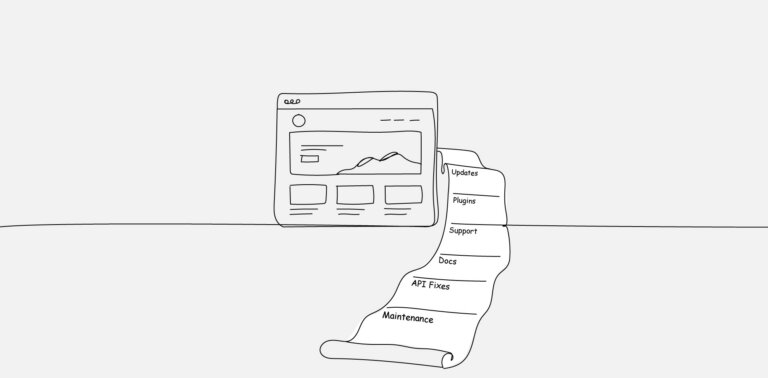
The build is six weeks in when someone finally checks the documentation. By that point, three features in the SOW are not available on the client’s current Shopify plan, the design has already been signed off, and the only person who doesn’t yet know there is a problem is the client.
This scenario is more common than most agencies admit, and it is rarely the platform’s fault. Shopify publishes its limits openly across pricing pages, developer documentation, and product changelogs—the constraint that surfaced in week six was usually discoverable on day one, but checking it wasn’t part of anyone’s process.
What follows walks through the four constraint areas that catch agency teams out most often: checkout customisation, app stack economics, Liquid template limits, and multi-region complexity.
The argument underneath is straightforward—discovering these limits late is a process failure, not a platform failure, and the fix lives in scoping rather than in delivery.
Checkout Customisation And The Shopify Plus Wall
- What Standard Plans Actually Allow
For stores on Basic, Grow, or Advanced plans, the checkout is intentionally locked down.
Branding controls, language settings, terms-and-conditions checkboxes, abandoned-cart messaging, and a handful of express-payment toggles are all accessible from the admin.
Anything beyond that surface layer—custom fields tied to product type, conditional shipping logic, alternative checkout flows for specific customer segments—is not available without Plus.
For years, the workaround for Plus merchants was a template file called checkout.liquid, which let developers rewrite the checkout page directly—changing markup, injecting scripts, restructuring the flow.
Shopify has since retired that path in favour of Checkout Extensibility, a framework of approved extension points where customisations are built through apps, UI extensions, and Shopify Functions rather than direct template edits.
The change closed off the workarounds agencies used to rely on, which makes the tier conversation harder to avoid.
- Where Shopify Plus Becomes Non-Negotiable
The agencies most likely to get caught out are the ones that hear “we want a custom checkout experience” in a discovery call and assume the platform will accommodate it on whatever tier the client happens to be on.
Once the brief calls for fields beyond the defaults, multi-step logic, or anything resembling a branded post-purchase experience, the answer is Plus.
According to Shopify’s official pricing, the Shopify Plus plan starts at $2,300 USD a month for standard setups on a 3-year term, or $2,500 USD per month for a 1-year term.
The jump from the $399 Advanced plan is significant, and it changes the project economics in ways the client did not necessarily sign up for.
- The Pricing Conversation Nobody Wants To Have
Discovering this mid-build means having the conversation in the worst possible context: after expectations are set, after the design is approved, and after invoices are out the door.
The cleaner approach is to surface the tier requirement during scoping and either build the Plus upgrade into the engagement or scope the work to fit the current tier. Either decision is fine.
Discovering the constraint after the contract is signed is not.
App Stack Cost And Performance Impact
- The Subscription Stack That Adds Up
Shopify’s strength is its app ecosystem, and that’s also where cost discipline tends to break down.
A typical mid-sized store ends up with apps for reviews, subscriptions, loyalty, search, cross-sell, currency conversion, page-builder extensions, abandoned-cart recovery, and analytics.
Each one usually carries a tiered subscription that scales with order volume, so the monthly bill grows in lockstep with the store’s success.
Many agencies present these apps as one-time setup decisions during the build phase. In reality, they are long-term operating costs the client will carry every month indefinitely, and the cumulative monthly figure often surprises the client when they finally tally it up six months after launch.
- How Apps Affect Page Speed And Core Web Vitals
Each installed app typically injects scripts into the storefront, and those scripts run whether the customer interacts with the feature or not.
The cumulative impact on Largest Contentful Paint and Interaction to Next Paint can be significant, particularly on mobile, and Shopify’s hosted infrastructure does not absolve the theme from poor third-party performance.
According to a study by Deloitte and Google, a 0.1-second mobile site speed improvement was associated with measurable lifts across funnel progression, including significant gains in retail conversion and average order value.
The inverse holds equally well: every poorly optimised app quietly costs real revenue, even when nothing about the storefront looks broken.
- Why Some Functionality Should Live In The Theme
The temptation to install an app for everything is strong because it feels faster than building.
For features the store will rely on for years—tabbed product descriptions, simple bundle displays, basic countdown timers, and FAQ accordions—custom theme code is usually cheaper, faster, and lighter than a third-party app subscription.
The audit question worth asking on every build is whether each app justifies its cost three years from launch, not just the day it goes live.
Liquid Template Limitations That Catch Teams Off Guard
- What Liquid Was And Wasn’t Designed To Do
Liquid is a templating language. It renders the data Shopify provides, formats it for display, and passes it through layouts. It is not designed for complex business logic, server-side data manipulation, or dynamic decision-making at the request level.
Developers coming from frameworks where the back-end and front-end share the same toolkit sometimes treat Liquid as more capable than it is, then discover the gap when the requirements call for it.
- The Limits Around Server-Side Logic
Cart manipulation is the classic example. Out of the box, you cannot apply a discount based on a complex set of rules involving customer segment, product combinations, and cart total without reaching for Shopify Functions, a custom app, or Plus-specific tooling.
Stack-level promotions, conditional shipping rates, and dynamic checkout fields all live outside Liquid’s capability.
Treating this kind of work as “we’ll just build it in the theme” leads to dead ends that surface halfway through the build, when the schedule has no slack, and the client has already approved the designs that depend on the missing logic.
- When You Need Functions, Apps, Or Headless
Shopify Functions and custom apps cover most of the gap for teams comfortable working in JavaScript or Rust, and they’re the right answer for the majority of cases that exceed Liquid’s reach.
For requirements that go further—shared front-end across a website and a native app, content from a separate CMS feeding the storefront, fully custom UX patterns that diverge sharply from theme conventions—Hydrogen and a headless setup may be appropriate.
Headless is a different project, though, with longer timelines, separate hosting requirements, and ongoing complexity that affects every future change. It belongs in the original scope, not in week six as a fallback.
Multi-Currency And Multi-Region Complexity
- Markets Solve Some Problems And Create New Ones
Shopify Markets is a meaningful piece of infrastructure for international stores. It handles geolocation, currency display, language routing, and country-specific catalogue and pricing rules from a single storefront, and for many brands selling into a handful of countries, it’s enough.
The misconception is that “multi-region support” is a single feature you toggle on.
Markets are a starting point that has to be configured against actual business rules—different price lists, different tax behaviour, different shipping logic, different content per region—and that configuration takes substantially more time than most agencies plan for.
- Tax, Compliance, And Local Payment Methods
This is where late discovery hurts most. EU One Stop Shop reporting, post-Brexit UK VAT, Australian GST thresholds, and US state-level economic nexus rules each have specific requirements that affect product pricing, invoicing, and reporting.
Local payment methods compound the problem: iDEAL in the Netherlands, Bancontact in Belgium, Klarna across most of Europe, and Pix in Brazil are not optional in their home markets, and configuring them properly requires merchant-side decisions the agency cannot make alone.
The cleanest projects bring the client’s tax advisor into the discovery phase rather than treating compliance as a post-launch follow-up.
- Single Storefront vs Multiple Stores
For more complex setups—genuinely separate brands, separate inventories, materially different catalogues per region—the right architecture is often multiple Shopify stores rather than Markets.
On Plus, that means expansion stores, which the contract includes up to a defined limit. On standard plans, it means multiple separate Shopify accounts, each with its own subscription, theme, and app stack.
According to Statista, more than half of online retailers and manufacturers reported shipping their products internationally as of 2023, which means the multi-region question is no longer a niche concern. It belongs in the very first scoping conversation.
The Pre-Kickoff Shopify Constraint Audit
- The Questions Discovery Should Always Cover
A constraint audit is not a long process. It’s a structured conversation between the build team, the account lead, and ideally a client stakeholder, run before the SOW is signed.
The agenda is to list every requirement and tag each one against the constraint it depends on. A workable starting checklist:
- Which requirements depend on Shopify Plus features rather than features available on the current tier?
- Which depend on third-party apps, and what are the monthly costs and performance implications of each?
- Which depends on Liquid being more capable than it is, and where will Functions or a custom app be needed instead?
- Which involve multi-region or multi-currency setups that need Markets, expansion stores, or separate Shopify accounts?
- Which involve tax, compliance, or payment-method decisions the client has not yet made?
Anything ambiguous gets a follow-up before the contract goes out, not after.
- Mapping Requirements Against Plan Tier
For each functional requirement, the question is what minimum tier supports it natively, and what the cost difference is if a higher tier is required. The same exercise applies to apps.
If an app is required, the audit captures its monthly cost, performance impact, and whether a lighter alternative exists. The output is a constraint map that the client signs off on before any design or development begins.
- Documenting Constraints In The Statement Of Work
The audit doesn’t matter if it lives in a Slack thread or a half-finished doc.
Constraints belong in the SOW alongside scope and timelines, with explicit language about what the platform supports natively and what would require a tier change, an additional subscription, or a custom development workaround.
Clients rarely push back on constraints they understand from day one. The pushback comes when constraints look like surprises.
Where Shopify Builds Actually Go Wrong
The frustration agencies attribute to Shopify is usually frustration with their own process.
The platform is well-documented, the tiers are well-defined, the limits are openly published, and the workarounds are clearly mapped. What’s missing is the discipline of confirming all of that during scoping rather than discovering it in week six.
Building on Shopify is not the problem. Building on Shopify without a constraint audit is. The agencies that come out of these projects with healthy margins and happy clients are not necessarily the ones with the most senior Shopify developers.
They are the ones who treat constraints as a conversation to have early, in writing, with the client in the room.
Every Shopify build that goes off the rails has a moment where someone could have said: “Let’s confirm this works on the current plan before we promise it.”
That moment is almost always in scoping, and it’s almost always skipped because everyone is keen to get to the build. The discipline is uncomfortable up front and saves the project later.
Frequently Asked Questions
FAQs
Can Checkout Be Customised On Shopify Standard Plans?
To a limited extent. Branding controls, language, abandoned-cart settings, and a handful of admin-level toggles are accessible on standard plans. Anything beyond that—custom fields, conditional flows, additional payment logic—requires Shopify Plus and Checkout Extensibility.
The legacy checkout.liquid path has been retired, so even Plus stores now build through extensions, custom apps, or Shopify Functions rather than direct template edits.
How Many Apps Is Too Many Apps On A Shopify Store?
There’s no fixed number. The right question is how each app affects performance, monthly operating cost, and operational dependency. A store with twelve well-built apps can outperform one with six poorly built ones.
A practical approach is to run a Lighthouse audit, identify which apps inject the heaviest scripts, and then ask whether the functionality justifies both the subscription cost and the speed cost over a multi-year horizon.
When Should Agencies Recommend Headless Instead Of Standard Shopify?
Headless makes sense when the front-end requirements genuinely exceed what Liquid and Shopify themes can deliver—shared front-ends across a website and a native app, content from a separate CMS feeding the storefront, or fully custom UX patterns that diverge significantly from theme conventions.
It’s a different build profile with longer timelines and additional ongoing maintenance, so it should be a deliberate choice made in scoping, not a mid-project pivot when something else didn’t work.
What’s The Realistic Cost Difference Between Shopify Advanced And Shopify Plus?
Advanced is around $399 per month. Plus starts at $2,300 monthly on a three-year contract or $2,500 monthly on a one-year term, with revenue-based scaling above an $800,000 monthly threshold.
The total cost of Plus also tends to include a more sophisticated app stack and more developer time, since clients on Plus typically expect customisations that cheaper tiers do not support.
How Can Agencies Avoid These Constraint Surprises Without Overcomplicating Discovery?
A pre-kickoff constraint audit, paired with a clear SOW that documents platform limits in plain language, covers most of the risk for projects an agency is delivering in-house.
For agencies without deep Shopify expertise on staff, a white-label development partnership with a team that lives inside the platform every day can fill the gap—surfacing constraints during scoping, owning the technical implementation, and freeing the agency to focus on strategy and the client relationship.