A few years ago, an agency owner shared a story you’ve probably heard a dozen times already.
They’d spent six weeks evaluating platforms for a client’s new site. Compared feature lists. Read every review thread. Built a beautiful WordPress install with a custom theme and a half-dozen carefully chosen plugins.
Six months later, the client’s marketing coordinator was calling every week because something broke after a plugin update. A year in, the client wanted a full redesign—and the custom theme they’d been so proud of was now a liability.
By month eighteen, the conversation shifted from “how do we improve this site” to “should we just start over.”
The right platform for launch day isn’t always the right platform for the site you’ll be maintaining a year and a half later. And most platform comparisons completely ignore that reality.
They focus on features, pricing tiers, and template libraries—none of which tell you what the next eighteen months will actually feel like.
This isn’t another feature comparison. It’s a look at what happens after the launch confetti settles, and the real cost of living with your platform decision starts to show.
Why Launch Day Logic Fails by Month Eighteen
Platform selection conversations tend to anchor on what’s needed right now. Can it handle the blog? Does it integrate with this CRM? Can we launch by Q3? These are valid questions, but they’re incomplete.
What nobody asks in the kickoff meeting is who will be maintaining this site twelve months from now and what skills they’ll need. That question matters more than most of the items on a typical requirements spreadsheet.
A McKinsey and University of Oxford study examining over 5,400 IT projects found that large technology initiatives run an average of 45% over budget while delivering 56% less value than expected. Websites aren’t enterprise software—but the underlying lesson holds.
The gap between what teams plan for and what they actually encounter post-launch is significant, and it almost always grows with time.
- The Year-Two Reality Check
The first few months after launch are usually smooth. Everyone remembers how the site works. The developer who built it is still available. Content is fresh, and nobody’s asking for structural changes yet.
Then the requests start rolling in. A new landing page for a campaign. A third-party integration that the sales team needs. A section of the site that “doesn’t quite work the way we thought.”
This is where platform choice stops being a technical question and starts becoming an operations question.
Maintenance Burden Varies Dramatically by Team Type
Not every platform needs the same kind of caretaker, and this is where most agencies get the recommendation wrong. They match the platform to the project scope instead of matching it to the team that will live with it.
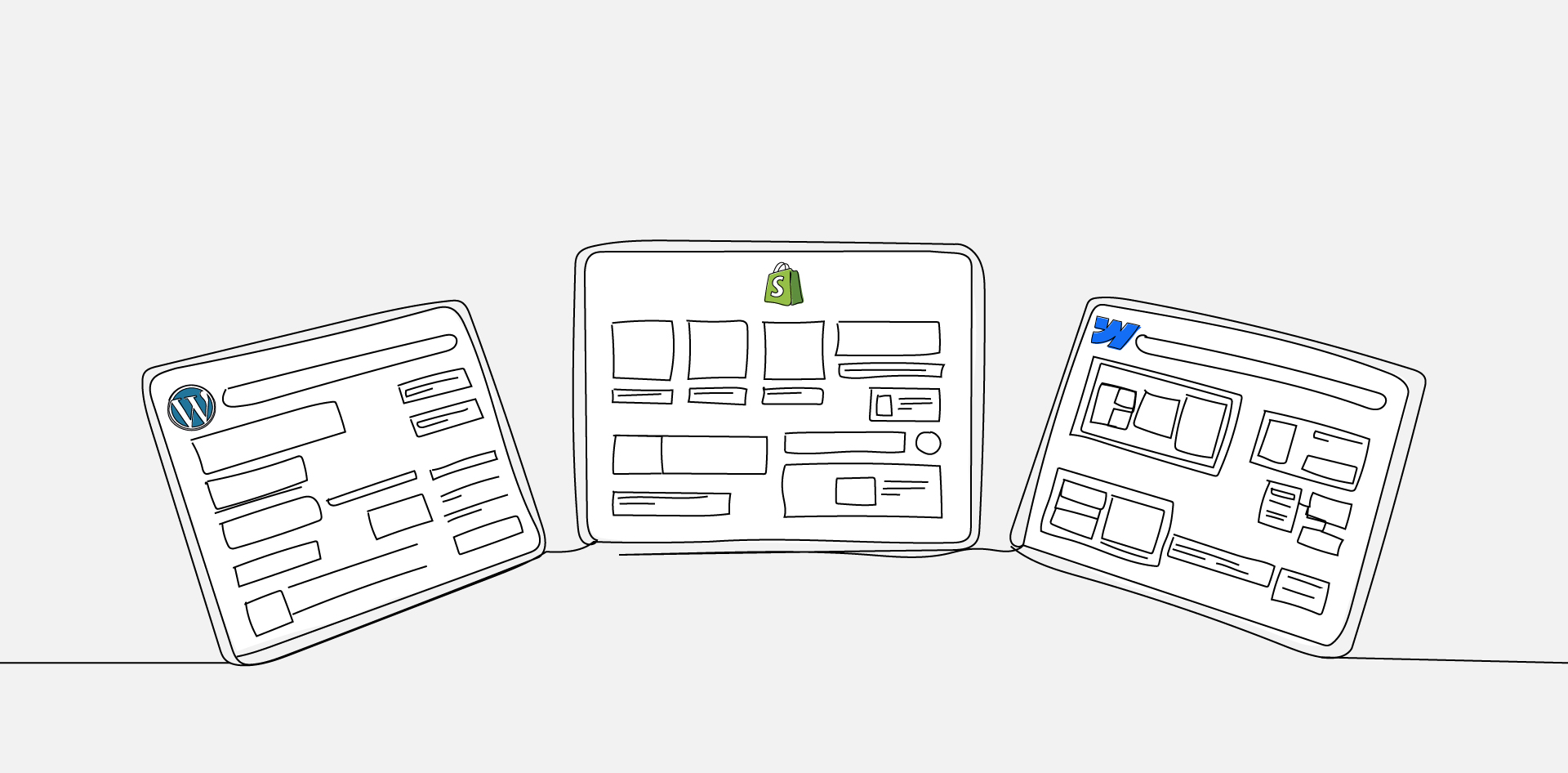
- WordPress: Needs a Developer on Speed Dial
WordPress offers extraordinary flexibility, but that flexibility comes with upkeep.
Plugin updates, security patches, PHP compatibility issues, and hosting management all require someone with at least moderate technical skill. For a client with an in-house developer or an ongoing retainer with a dev team, this works well.
For a client whose “tech person” is the office manager who set up the company’s Facebook page, it doesn’t.
The maintenance burden for WordPress is front-loaded toward technical skills, and when those skills aren’t available, small issues compound into expensive emergencies.
- Shopify: Needs a Marketing Operator
Shopify handles the technical infrastructure, which removes a major maintenance category. But Shopify sites live and die by their configuration—product taxonomies, checkout flows, discount logic, and app integrations.
The person maintaining a Shopify site doesn’t need to know code, but they do need to understand e-commerce operations and marketing workflows.
A client who sells twelve products and updates their store once a quarter will do fine.
A client running weekly promotions across multiple collections with dynamic pricing needs someone who understands the platform’s operational layer, not just its interface.
- Webflow: Needs a Design-Literate Builder
Webflow sits in a category of its own. It eliminates the plugin ecosystem and reduces hosting headaches, but its content editing experience is tightly coupled with its visual design system.
Updates that would be straightforward in WordPress—like adding a new section to a page—often require someone who understands Webflow’s box model and responsive layout logic.
The ideal Webflow maintainer is a hybrid: part designer, part developer, comfortable with visual tools but not intimidated by structured layouts. That profile is less common than most agencies assume.
Redesign Flexibility and Platform Lock-In Risk
Every platform creates some degree of lock-in. The question isn’t whether you’re locked in—it’s how expensive that lock-in becomes when the client inevitably wants something different.
- Template-Level Changes vs. Structural Overhauls
WordPress sites built on well-structured themes can be reskinned without rebuilding the content architecture. Sites built on rigid page builders or heavily customized themes are a different story—redesign often means rebuilding from scratch.
Shopify’s theme system allows visual changes, but the underlying structure is defined by Shopify. You’re designing within their constraints, and those constraints tighten when you need functionality that falls outside standard e-commerce patterns.
Webflow’s redesign story is perhaps the most nuanced. Because the design is the structure, changing the visual direction can require rethinking the entire component architecture.
For agencies that built the original site, this is manageable. For a new team inheriting someone else’s Webflow project, it can be a significant undertaking.
- Content Portability Matters More Than You Think
When redesign conversations turn into replatforming conversations, content portability becomes critical. WordPress exports content in structured formats that translate relatively well to other systems.
Shopify’s product data exports cleanly, but page content and custom sections don’t travel as easily. Webflow’s content sits inside its CMS structure, and extracting it for use elsewhere requires deliberate effort.
Content Ownership and Editorial Workflow Complexity
The person writing blog posts and updating service pages is rarely the person who chose the platform. But their experience with it will determine whether the site stays current or slowly decays.
- Who Actually Updates the Site?
In most small and mid-size businesses, content updates fall to someone in marketing—often someone without design or development training.
This person’s comfort with the platform directly predicts whether the site will be actively maintained or quietly neglected.
WordPress’s editing experience has improved dramatically with the block editor, but it still exposes complexity that can overwhelm non-technical users. Shopify’s content editing is clean but limited—great for products, awkward for rich editorial content.
Webflow’s editor mode is powerful but unforgiving—one wrong move in the designer can break a layout in ways that aren’t immediately obvious.
- Editorial Workflow and Approval Processes
For teams that need draft-review-publish workflows, WordPress has the most mature ecosystem with built-in user roles and third-party editorial plugins. Shopify’s content workflow is minimal, designed for speed rather than review.
Webflow offers basic staging and publishing controls, but collaborative editorial workflows require workarounds.
If the client’s content team includes more than two people, the editorial workflow question deserves serious weight in the platform conversation.
What Switching Platforms Mid-Engagement Actually Costs
Sometimes the answer to “we picked the wrong platform” is to switch. But the cost of switching is almost always higher than teams expect.
McKinsey’s research has found that 25 to 40 percent of large technology programs exceed their budgets or schedules by more than 50 percent.
Scale that principle down to a website migration, and the ratio holds: teams routinely underestimate the time, cost, and complexity of moving from one platform to another.
- The Hidden Tax of Migration
The direct costs are obvious—new design, new development, new QA. But the indirect costs are where migrations get expensive.
URL structures change, which means SEO authority takes a hit during the transition. Internal links break. Third-party integrations need to be reconfigured. Content needs to be reformatted for the new system’s structure.
And then there’s the human cost. The client’s team has to relearn their workflows. Training that happened six months ago is now irrelevant. Internal documentation needs to be rewritten. The trust deficit—especially if the agency recommended the original platform—takes time to repair.
- When Migration Is Still the Right Call
None of this means you should never switch.
If the platform is actively hindering growth—blocking critical integrations, creating security vulnerabilities, or requiring disproportionate maintenance spend—staying put costs more than leaving.
The key is making that decision with clear data rather than frustration.
Running the Platform Conversation With Opinionated Clients
Many clients walk into the engagement with a platform already in mind.
Their developer friend recommended WordPress. They saw a Shopify ad. Their competitor’s site is on Webflow. Overriding that preference without a framework is a recipe for friction.
- Reframe the Decision as Operational, Not Technical
The most effective platform conversations shift the focus from “which one has better features” to “who on your team will maintain this, and what skills do they have?”
That reframing moves the conversation from opinion-based to evidence-based.
Ask the client to describe their content update workflow in detail. Who writes? Who approves? Who publishes? How often? What happens when someone needs a new page that doesn’t match an existing template?
The answers to those questions will point toward the right platform more reliably than any feature list.
- Build a Year-Two Scenario
Walk the client through a realistic set of requests they’re likely to make twelve to eighteen months post-launch. A new landing page for a campaign. A blog redesign. An integration with a tool they haven’t bought yet. A section of the site that needs to look completely different from the rest.
Then evaluate each platform against those scenarios. This exercise almost always shifts the conversation, because it makes the future tangible instead of abstract.
Forrester has noted that a majority of digital business decision-makers end up making the difficult choice to replatform within eighteen months—often because the original selection was based on launch-day requirements rather than ongoing operational reality.
The Platform That Fits the Workflow Wins
Platform selection isn’t a technology decision. It’s a staffing decision, a workflow decision, and an operations decision that happens to involve technology.
The features on the comparison chart matter, but they matter less than the answer to a simpler question: who’s going to be taking care of this thing in a year, and are they equipped to do it well?
The agencies that get platform selection right aren’t necessarily choosing the “best” platform. They’re choosing the platform that best fits the people, processes, and growth trajectory on the other side of launch day.
If you’re having this conversation with a client—or about to—spend less time on the feature comparison and more time on the year-two scenario.
That’s where the real cost of a platform decision lives, and it’s where the real value of getting it right shows up.
Frequently Asked Questions
FAQs
Can You Migrate SEO Authority When Switching Platforms?
Partially. Properly implemented 301 redirects can preserve a significant portion of search rankings, but some loss of organic traffic during the transition is common.
The severity depends on how much the URL structure changes, how well the redirect map is built, and how quickly search engines recrawl the new site.
Most migrations see a temporary dip in traffic that recovers over two to four months if handled correctly.
Which Platform Handles Multi-Language Content Most Effectively?
WordPress has the most mature multi-language ecosystem, with established plugins that handle translation workflows, hreflang tags, and language-specific URL structures.
Shopify offers built-in markets for international selling, but editorial translation workflows are limited. Webflow supports localization natively, though the implementation requires careful planning around component structure and CMS collections.
For content-heavy multilingual sites, the editorial workflow—not just the translation capability—should drive the decision.
How Do Platform Updates Affect Existing Customizations?
This varies significantly. Shopify’s managed infrastructure means updates happen automatically, which is convenient but occasionally breaks third-party app integrations.
WordPress updates—especially major version releases—can conflict with plugins or custom theme code, requiring testing before deployment.
Webflow’s updates are platform-managed and rarely affect individual sites, but changes to their designer interface can shift the learning curve for content editors.
What’s the Typical Timeline for a Mid-Project Platform Switch?
For a standard business site, expect six to twelve weeks for a full replatforming effort, including design adaptation, content migration, QA testing, and redirect implementation.
E-commerce migrations typically take longer—eight to sixteen weeks—due to product data, payment integrations, and order history considerations.
The most commonly underestimated phase is content migration and formatting, which can consume as much time as the design and development work combined.
Is It More Cost-Effective to Outsource Ongoing Platform Maintenance?
For most small and mid-size businesses, outsourcing maintenance to a specialized partner is more cost-effective than hiring a dedicated in-house resource—especially when the required skill set crosses design, development, and content operations.
A white-label partnership model, where an external team handles execution under your agency’s brand, gives agencies a way to offer ongoing maintenance without absorbing the overhead of a full-time specialist for every platform they support.