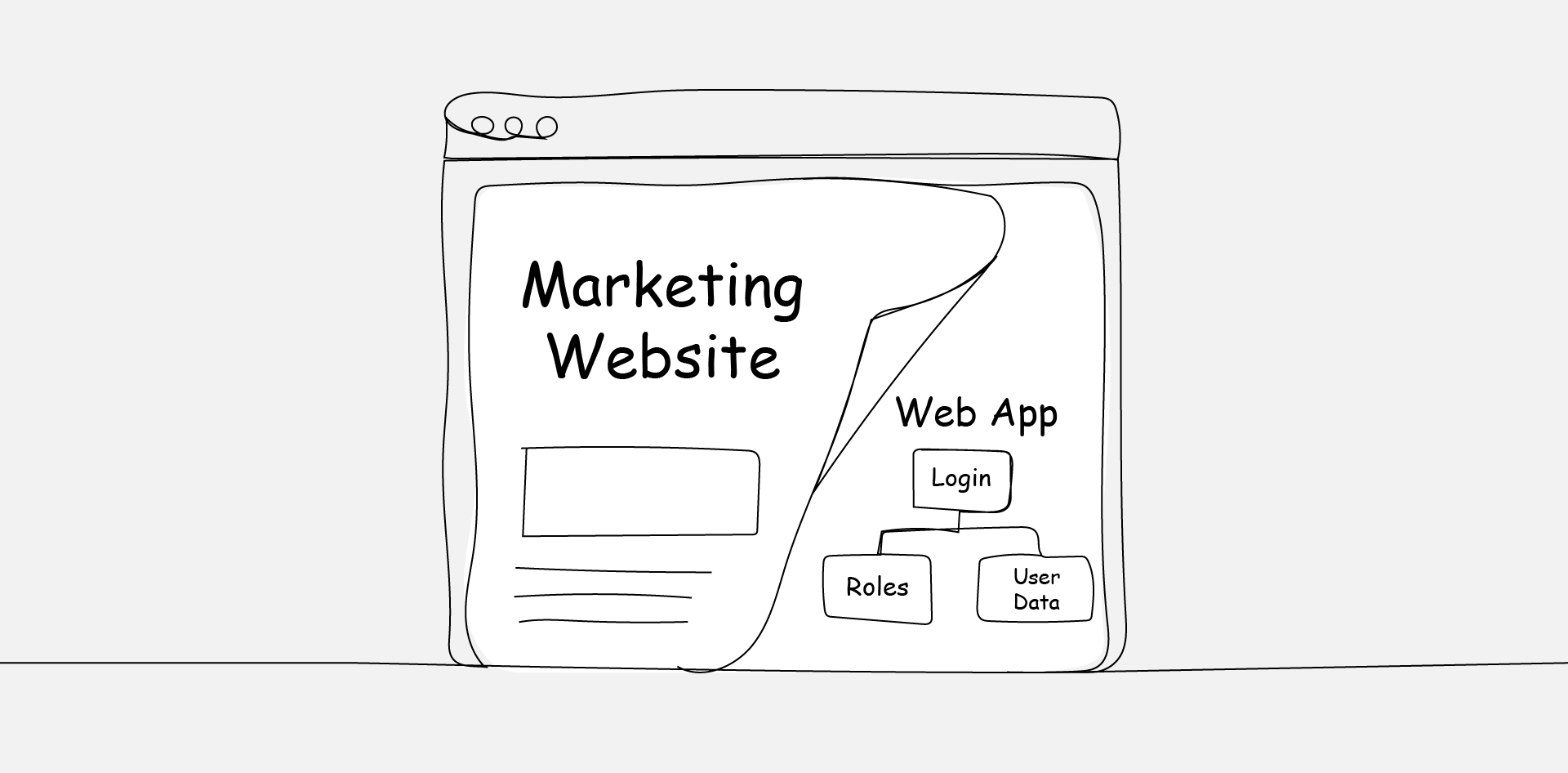
“And users should be able to log in.”
That sentence has tripled more project budgets than any design revision or late-stage copy rewrite. It doesn’t sound like a scope change—it sounds like a feature. But it’s the exact moment a marketing website starts becoming a web application, and everything downstream shifts with it.
What follows is predictable: a dashboard surfaces, then role-based permissions, then conditional content nobody scoped. Each request feels small. Stacked together, they describe a fundamentally different build—one with different architecture, different security obligations, and a different price tag.
This article identifies the five inflection points that signal a project has crossed from content site to web application, and lays out a framework for having the honest conversation before timelines and budgets quietly triple.
The Five Features That Signal Web App Territory
Not every interactive element makes a website into a web application. A contact form doesn’t count, and neither does a filterable portfolio gallery. The distinction hinges on whether the system needs to know who the user is and what they’re allowed to do.
There are five features that, individually or combined, push a project squarely into application territory: user authentication, role-based access, persistent user data, conditional content rendering, and transactional workflows.
Any one of these requires server-side logic, database architecture, and security considerations that a traditional content site never touches.
The shift often begins with authentication—a login screen—and cascades from there. Once a system knows who’s using it, stakeholders start asking what each user should see, what they should be able to do, and what data they should generate. That’s no longer a website. That’s a product.
Authentication Is Never “Just a Login”
Authentication is where most scope crossovers quietly begin, because clients tend to frame it as a single feature. In reality, it’s a system.
A login screen requires user registration, password management, session handling, email verification, and—almost immediately—password reset flows.
That’s the baseline before anyone has discussed what happens after the user signs in.
- The Role Complexity Problem
Once authentication exists, role-based access follows almost immediately.
The client wants admins to see one thing and regular users to see another. Maybe there’s a third tier—a manager role, a vendor role, a partner role. Each role requires distinct permissions, distinct UI states, and distinct data access rules.
This is the inflection point that agencies most frequently underestimate. A single-role login is an afternoon of planning. A multi-role permission system is a week of architecture before a single line of code gets written. The gap between those two realities is where budgets quietly fracture.
- Security Obligations Change
A marketing website with a contact form stores a name and an email address. A web application with authentication stores credentials, session tokens, and potentially sensitive user data.
The security obligations are fundamentally different—and so are the hosting, compliance, and maintenance requirements that follow.
Agencies that don’t account for this shift often end up retrofitting security measures after launch—an approach that’s both more expensive and more dangerous than building them in from the start.
Data Architecture vs Content Architecture
Content websites are organised around pages. A homepage, an about page, a services page, a blog. The CMS holds content blocks, and the front end renders them. The data model is flat, and the relationships between content pieces are editorial, not functional.
Web applications are organised around entities—users, accounts, transactions, records, and statuses. The data model is relational, and the relationships between entities are structural—they drive what the system does, not just what it displays. A user has orders, an order has line items, a line item references a product… This is database architecture, not content management.
- When a CMS Stops Being Enough
The clearest sign that a project has crossed the line is when the content management system starts getting forced into service as a data management tool.
Custom post types in WordPress, for instance, can technically model relational data—but doing so fights the platform’s design.
The result is a brittle system that works until the client needs to query across relationships, generate reports, or enforce data integrity rules.
According to PMI’s Pulse of the Profession, 52% of projects experience scope creep—and in agency web work, the CMS-to-application crossover is one of the most common triggers. The features arrive one at a time, each seeming small, until the architecture can’t support what’s being asked of it.
- The Relational Data Threshold
The decisive architectural signal is the moment a project requires queries that cross entity boundaries.
Filtering users by activity status, generating reports that aggregate transaction data over time, triggering workflows based on relationships between records—these are database operations, and they demand a schema designed for relational integrity from the outset.
When an agency finds itself writing custom SQL to work around a CMS’s data model, the project has already crossed the threshold. The question isn’t whether to rearchitect; it’s how much technical debt accumulates before someone acknowledges that reality.
The Moment Scope Shifts (And How to Name It)
The hardest part of managing a website-to-application crossover is conversational.
Most agencies recognise when scope is shifting, but they hesitate to name it because doing so means confronting the client with the fact that the project they described in the kickoff isn’t the project they’re now asking for.
- Why Agencies Hesitate to Say It
That hesitation is understandable but expensive. The Standish Group’s CHAOS research has consistently found that only about 31% of IT projects finish successfully—defined as on time, on budget, and on scope. Unclear or shifting requirements are among the most cited factors in that failure rate.
Agencies avoid the conversation for predictable reasons: fear of damaging the client relationship, reluctance to seem inflexible, or hope that the additional features won’t actually take that long.
But waiting to address a scope crossover doesn’t make the conversation easier. It makes the consequences worse—and it makes the eventual correction feel like a surprise rather than a professional recalibration.
- Naming It Without Blame
The key is to frame the conversation around what the project has become, not what the client did wrong. Nobody added scope maliciously. Features evolved because the client’s understanding of their own needs deepened—which is a healthy sign.
The agency’s job is to translate that deeper understanding into an honest assessment of what’s actually required.
A useful framing: “Based on the features we’ve been discussing, the project has moved from a content website to a web application. That’s not a problem—but it does change the architecture, the timeline, and the investment. Let’s talk about what that looks like.”
How to Requote When the Build Has Changed
Requoting mid-project is uncomfortable, and agencies avoid it for fear of damaging client relationships.
But delivering a web application on a website budget is worse—it leads to cut corners, technical debt, missed deadlines, and a final product that frustrates everyone.
- Start With a Scope Audit
Before presenting new numbers, document what’s changed. List every feature that wasn’t in the original scope, map it to its architectural requirements, and quantify the effort.
This isn’t a negotiation tactic—it’s evidence. Clients respond far better to a clear, itemised explanation of why the scope has shifted than to a vague request for more budget.
- Offer Tiered Options
Rather than presenting a single inflated quote, give the client two or three options. The first delivers the original website scope as agreed; the second adds the critical application features with a realistic timeline; the third includes everything discussed, fully scoped and properly architected.
This gives the client agency over the decision instead of backing them into a corner.
- Protect the Relationship by Protecting the Build
Agencies sometimes absorb scope overruns to preserve goodwill. In the short term, this keeps the client happy.
In the long term, it sets a precedent that scope changes don’t cost anything, which guarantees the same problem on the next project. Honest requoting, done early and respectfully, actually strengthens trust.
Laravel vs WordPress: Picking the Right Foundation
Once a project has crossed into web application territory, the technology conversation changes completely.
A content management system built for blogs and brochure sites isn’t the right foundation for persistent user data, complex permissions, and transactional workflows.
- Where WordPress Fits—And Where It Doesn’t
WordPress powers roughly 40% of the web, and for good reason. It’s excellent at content management, fast to deploy, and supported by a massive ecosystem of themes and plugins.
For marketing websites, landing pages, blogs, and simple business sites, it’s often the right call.
But WordPress wasn’t designed to handle multi-role authentication, relational data models, or complex server-side logic at scale.
Agencies can extend it with custom plugins and ACF fields, but the result is a system working against its own architecture. Maintenance becomes fragile, performance degrades under load, and every update carries the risk of breaking custom functionality.
- When a Framework Becomes Necessary
Application frameworks like Laravel are purpose-built for the kind of work web applications demand.
Native authentication scaffolding, built-in ORM for relational data, middleware for role-based access, queue systems for background processing—these aren’t afterthoughts bolted onto a CMS. They’re core capabilities.
The trade-off is speed and cost. A Laravel build takes longer and requires more specialised developers. There’s no visual page builder or plugin marketplace. Every feature is custom.
But for projects that genuinely require application-level functionality, that investment pays for itself in maintainability, performance, and the ability to scale without rebuilding from scratch.
- The Decision Framework
The simplest way to decide: if the project’s primary function is publishing and displaying content, use a CMS. If the project’s primary function is managing users, data, and workflows, use a framework.
If it’s doing both, the application requirements should drive the technology choice—content can always be managed within a framework, but application logic shoehorned into a CMS will eventually collapse.
Where This Leaves the Agency Conversation
The crossover from marketing website to web application isn’t a failure of planning. It’s a natural result of clients discovering what they actually need as the project evolves. The failure only happens when nobody names the shift and adjusts accordingly.
Agencies that build the habit of spotting these inflection points early—authentication, roles, relational data, conditional rendering, transactional workflows—put themselves in a position to protect both the client relationship and the integrity of the build. The conversation doesn’t have to be adversarial; it just has to be honest.
The best time to recognise a web application is before the first line of code. The second-best time is right now.
Frequently Asked Questions
FAQs
Can a Project Start as a Website and Legitimately Evolve Into a Web Application?
Absolutely—and it happens more often than most agencies or clients expect.
The initial brief might genuinely call for a content site, but as discovery progresses and stakeholders refine their vision, application-level features surface organically.
The key is acknowledging that evolution openly rather than absorbing the additional complexity silently. A formal scope reassessment at the point of crossover protects both the timeline and the deliverable quality.
What’s the Cost Difference Between Building a Marketing Website and a Web Application?
The range varies enormously depending on complexity, but as a general benchmark, a web application typically costs three to five times more than a content website of similar visual scope.
The difference isn’t in design—it’s in architecture, security, testing, and ongoing maintenance.
Authentication systems, role management, database design, and API integrations all carry development costs that don’t exist in a standard content build.
How Should an Agency Handle a Client Who Insists the Added Features Are “Simple”?
This is one of the most common friction points in the crossover conversation.
The most effective approach is to show, not tell. Walk the client through the technical requirements behind a feature they perceive as simple—like a login.
Map out user registration, email verification, password resets, session management, and role-based permissions. When they see the full dependency chain, the complexity becomes tangible rather than abstract.
Is It Ever Appropriate to Use WordPress for Portal or Dashboard Features?
For lightweight, single-role portals with minimal data complexity—like a client resource area with downloadable files behind a login—WordPress with a membership plugin can work.
But once the requirements include multiple user roles, relational data, conditional content, or transactional logic, a purpose-built framework is almost always the more sustainable choice.
The cost of retrofitting WordPress to behave like an application framework compounds quickly in maintenance and technical debt.
How Can a White-Label Development Partner Help With the Website-to-Application Transition?
When a project unexpectedly shifts into application territory, agencies that don’t have in-house application developers can find themselves stuck between a client’s expectations and their own team’s capabilities.
A white-label development partner with framework experience—Laravel, Node.js, or similar—can step in to handle the application layer while the agency maintains the client relationship and manages the front-end experience.
It’s a way to deliver the right solution without turning down the project or overextending internal resources.